
Professional Ways to Convert Logo to Embroidery for Babylock
Discover the professional methods to perfectly convert your logo to embroidery for your Babylock machine. Learn about digitizing services, software, and expert tips for flawless results.
 digitizingbuddy3
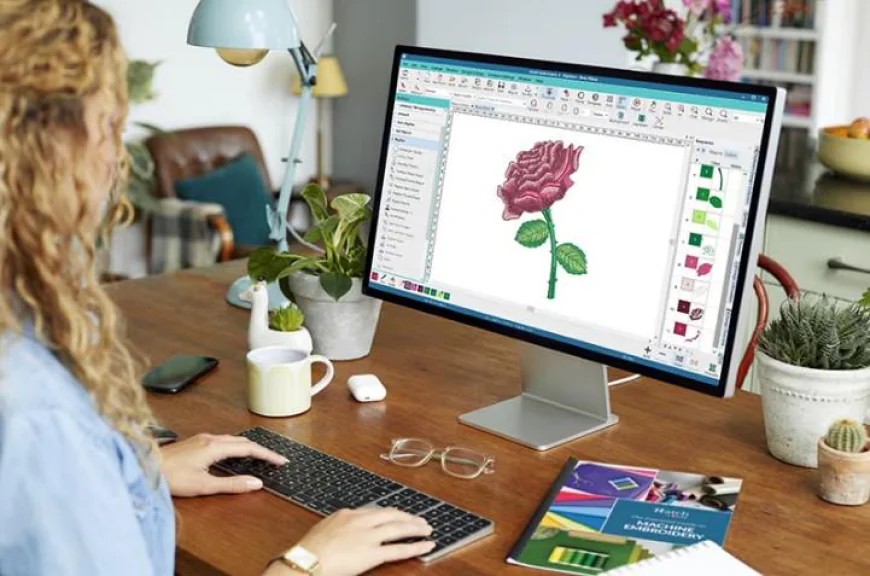
You’ve invested in a fantastic Babylock embroidery machine—a powerhouse capable of creating beautiful, intricate designs. You have a brilliant logo ready to go. You load the image, hit start, and then... disappointment. The stitches are messy, the fabric puckers, or fine details vanish. What happened? The critical misstep is assuming any digital image can directly become embroidery. The true key to success lies in the specialized process of digitizing.
To professionally Convert Logo To Embroidery For Babylock, you need to bridge the gap between a flat graphic and a language your machine understands. This isn't about simple file conversion; it's about translating your visual identity into a meticulously planned stitch blueprint. This guide walks you through the professional pathways to ensure your logo looks exceptional every time it stitches out.
Why You Can't Just "Load and Go": The Digitizing Imperative
Your Babylock machine is an incredibly precise tool, but it only follows instructions. It requires a specific file format—like .PES, .VIP, or .VP3—that acts as its instruction manual. This file doesn’t just contain your picture; it contains commands for every single needle drop: stitch type, length, direction, density, and sequence.
A standard logo file (like a JPEG, PNG, or AI) has no stitch data. Using built-in machine auto-digitizing functions often leads to poor results because software cannot interpret artistic intent, fabric type, or stitching logic. Professional digitizing is a craft. A skilled digitizer makes crucial decisions on:
-
Stitch Selection: Using satin stitches for crisp text and borders, or fill stitches for solid areas.
-
Underlay Creation: Setting a foundation of stitches to stabilize the fabric and prevent puckering—a non-negotiable step for quality.
-
Pull Compensation: Adjusting the design to account for fabric tension and thread pull during stitching.
-
Thread Path Optimization: Mapping the most efficient stitch sequence to minimize jumps, trims, and thread changes.
Skipping professional-grade digitizing means risking your brand’s reputation with subpar embroidery.
The Professional Pathway: Three Ways to Digitize for Babylock
You have three primary routes to get a machine-ready file, each with its own balance of cost, quality, and time.
1. Hire a Professional Digitizing Service (The Expert Solution)
This is the most reliable method for business-quality results, especially for logos used in branding or merchandise.
-
How It Works: You upload your high-resolution logo to a specialized service. An expert digitizer analyzes it, considers your fabric (e.g., hats, polos, towels), and manually creates a flawless .PES file tailored for your Babylock.
-
Why It’s Best for Professionals: You pay for expertise, not software. You get a file optimized for stitch count, durability, and visual appeal. Reputable services offer free revisions and often provide a test stitch proof.
-
What to Look For: Choose a service with strong reviews, experience with Babylock formats, clear communication, and a fast turnaround (often 24-48 hours). Specify your Babylock model and intended fabric for the best results.
2. Use Professional Digitizing Software (The Hands-On Control)
If you have frequent or complex digitizing needs, investing in dedicated software gives you full control.
-
Leading Software Options: Programs like Hatch Embroidery, Embrilliance, or Brother's PE-Design offer powerful, manual digitizing tools. They have steep learning curves but are the industry standard for creating original designs.
-
The Learning Investment: Be prepared to spend significant time mastering stitch types, density settings, and pathing. This path is less about "converting" and more about manually building a design from your logo trace.
-
Best For: Dedicated hobbyists, small businesses with ongoing design needs, or those who want complete creative autonomy.
3. Utilize Advanced Auto-Digitizing Features (The Middle Ground)
Modern software like Hatch includes sophisticated auto-digitizing tools that are far superior to basic machine functions.
-
A Step Above: These tools allow you to set parameters before conversion. You can assign stitch types to different colors in your logo, set overall density, and then let the software create a draft file.
-
The Crucial Step: Mandatory Manual Editing. The auto-generated file will always need a human touch. You must clean up stitch paths, add underlay, adjust pull compensation, and optimize the order. It’s a hybrid approach that starts with software but ends with user skill.
Optimizing Your Logo for Digitizing Success
Before you send your logo to a service or import it into software, prepare it to ensure the best outcome.
-
Provide High-Resolution Art: Always send vector files (AI, EPS, PDF) if possible. These are infinitely scalable and have clean edges. If you only have a raster file (JPEG, PNG), ensure it is very large and high-quality.
-
Simplify When Necessary: Overly complex gradients, tiny text (under ¼ inch tall), or extremely thin lines may not translate well. A professional digitizer can advise on simplifying while preserving your logo’s core identity.
-
Know Your End Use: Communicate the fabric type to your digitizer. A logo for a stiff cap will need a different file than the same logo for a stretchy polo.
The Babylock-Specific Checklist: From File to Final Stitch
Once you have your professionally digitized .PES file, follow these steps for a flawless finish on your machine.
-
Stabilize Correctly: This is the golden rule. Match your stabilizer (cut-away, tear-away, wash-away) to your fabric. Hooping properly is essential.
-
Conduct a Test Stitch: Always run the design on a scrap piece of your actual project fabric. This reveals any tension issues or fabric-specific problems.
-
Monitor the First Run: Watch the first logo stitch-out. Check for registration issues, thread breaks, or excessive puckering. Make small tension adjustments if needed.
-
Maintain Your Machine: A clean, well-oiled Babylock with fresh needles is critical for consistent results, especially with dense logo files.
Conclusion: Your Logo Deserves a Professional Translation
Your Babylock machine is capable of producing embroidery that rivals professional shops. The limiting factor is almost never the machine itself—it’s the quality of the digitized file you feed it. Treating digitizing as an afterthought undermines your investment and your brand.
For one-off logos or critical business projects, partnering with a professional digitizing service is the most efficient and quality-assured choice. For those embarking on a deeper embroidery journey, dedicated software unlocks potential but requires dedication to master. Whichever path you choose, remember that to truly Convert Logo To Embroidery For Babylock with professional quality, you must respect the craft of digitizing. It’s the invisible art that makes your visible logo impeccable, durable, and something you’re proud to stitch time and time again.