Professional Drone Cameras: Everything You Need to Know
Professional Drone Cameras: Everything You Need to Know
 morganlewis
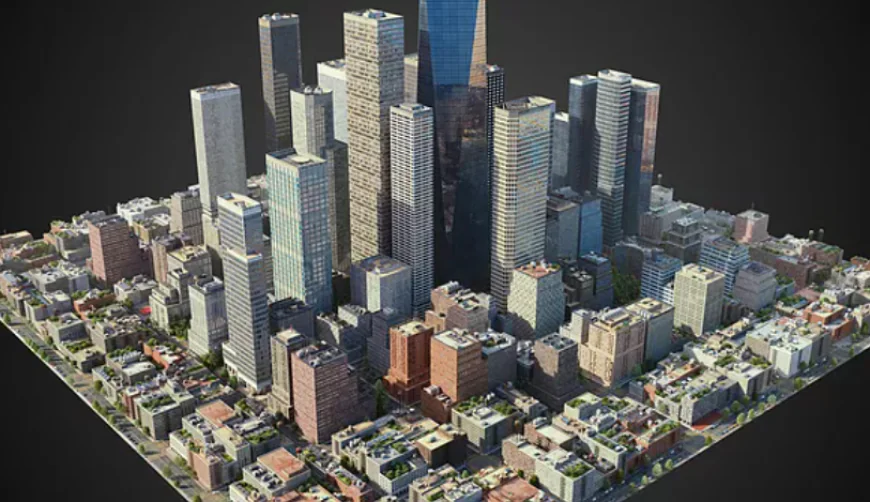
When a camera lifts off the ground and soars into the sky, it becomes a whole new kind of storytelling tool. From sweeping landscape panoramas to precise inspections of industrial infrastructure, professional‑grade drone cameras have reshaped the way photographers, filmmakers, surveyors, and engineers capture the world. Yet the technology that powers these airborne lenses can be intimidating for anyone who’s only ever handled a handheld DSLR. In this long‑form guide we’ll break down every major component, feature, and workflow that defines a professional drone camera system – so you can decide what you truly need, how to get the most out of it, and where the industry is headed next.
1. Why a Dedicated Drone Camera Matters
A drone is more than a motorised platform; it’s a moving tripod, a point‑of‑view that can hover, orbit, or dart through spaces a human cannot reach. While many hobbyist drones simply bolt a consumer‑grade action cam onto a frame, professional rigs are purpose‑built around imaging. The camera is engineered to:
- Maintain image quality under vibration and wind – high‑precision gimbals and rugged sensor mounts keep the picture steady even when the aircraft is buffeted.
- Work with larger optics – interchangeable lenses, larger sensors, and faster apertures give you control over depth of field and low‑light performance that a tiny GoPro can’t match.
- Integrate with flight data – metadata such as GPS coordinates, altitude, and aircraft attitude can be embedded directly into the video file, enabling georeferenced mapping and post‑production automation.
- Carry payload responsibly – every gram of camera gear adds to the drone’s power consumption and reduces flight time, so the camera must be lightweight yet robust.
Because of these demands, manufacturers design “drone‑native” cameras that differ markedly from their handheld siblings. Understanding those differences is the first step toward making an informed purchase.
2. Core Technical Building Blocks
2.1 Sensor Size & Type
| Sensor Size | Typical Use | Pros | Cons |
|---|---|---|---|
| 1‑inch (e.g., Sony IMX317) | High‑end cinematic, aerial survey | Excellent low‑light, high dynamic range, 4K‑60+ | Heavier, shorter flight endurance |
| Micro‑four‑thirds (MFT) | Cinema, mapping, broadcast | Large lens ecosystem, good balance of resolution & weight | Slightly larger form‑factor, higher cost |
| 1/1.7‑in – 1/2.3‑in | Survey, inspection, realtime streaming | Light, affordable, long endurance | Limited depth‑of‑field control, higher noise at ISO 3200+ |
Most professional drone platforms use at least a 1‑inch sensor because it delivers a noticeable jump in dynamic range (often 12–14 stops) and better performance in dusk/dawn conditions – crucial for cinematic storytelling and for accurate photogrammetry in mapping missions.
2.2 Resolution & Bitrate
- Still Images – 20‑30 MP is the sweet spot for most aerial photography. Anything higher adds file size without a practical gain in field detail for typical flight altitudes.
- Video – 4K (3840 × 2160) at 60 fps is now baseline; 5.7 K (5600 × 3150) and 6 K (6144 × 3456) are emerging on premium rigs to future‑proof footage for 8K post‑production pipelines.
- Bitrate – Look for “10‑bit 4:2:2” color sampling for video; this preserves subtle gradations needed in colour grading. Lower‑bit‑depth codecs (8‑bit, 4:2:0) are acceptable for live‑streaming but will limit post‑process flexibility.
2.3 Lens Mount & Optics
Professional drone cameras most often use a C‑mount (common on cinema cameras) or a PL‑mount for larger lenses. This brings two critical advantages:
- Interchangeability – A 12 mm wide‑angle prime for sweeping vistas can be swapped for a 50 mm telephoto for detail work, all while keeping the same sensor plane.
- Control over aperture – Variable‑aperture lenses (e.g., T2.8–T5.6) enable creative depth‑of‑field and better exposure control in changing light, something a fixed‑aperture action cam can’t provide.
Remember that every millimetre of lens length adds weight and shifts the centre of gravity. Most manufacturers recommend lenses that stay under a 150‑gram payload limit for optimal flight times.
2.4 Image Stabilization: Gimbal vs. In‑Camera
- 3‑Axis Gimbals – The industry standard, they mechanically isolate the sensor from roll, pitch, and yaw motions. High‑quality gimbals can keep shot jitter below 0.03° and handle wind gusts up to 30 km/h.
- Electronic Stabilization (EIS) – Often bundled in the camera firmware, EIS smooths minute vibrations after the fact. It’s useful for handheld operation but cannot replace a proper gimbal for high‑speed flight or heavy payloads.
A professional system typically combines both: a robust gimbal for macro stabilization, plus a modest amount of EIS to polish the final footage.
2.5 Dynamic Range & Colour Science
Dynamic range quantifies how much detail a sensor can capture from darkest shadows to brightest highlights. Professional drone cameras now regularly deliver 13–14 stops of dynamic range, rivaling cinema‑grade DSLR bodies. Paired with log gamma profiles (e.g., S‑Log3, V‑Log, or proprietary flat profiles), you can retain maximum latitude for colour grading.
Colour science varies by manufacturer. Some firms (e.g., Sony) are praised for natural skin tones, while others (e.g., Blackmagic) favour a flatter, more “post‑production‑friendly” look. If colour fidelity is mission‑critical—think broadcast or high‑end commercial work—test sample footage side‑by‑side before committing.
3. The Drone‑Camera Integration Pipeline
A camera does not exist in a vacuum; its performance is intimately tied to the aircraft that carries it. Below is the typical flow from pre‑flight planning to post‑production.
3.1 Payload Compatibility
- Weight & Balance – Every gram of camera gear reduces hover efficiency. Most professional multi‑rotors (e.g., DJI Matrice 300 RTK, Freefly Alta 8) list a maximum payload of 2–6 kg. Sub‑500 g camera setups are common for longer missions.
- Power Supply – Some drone cameras draw power directly from the aircraft’s bus, eliminating the need for external batteries. This simplifies weight budgeting but may limit the camera’s maximum frame rate or sensor read‑out speed.
- Mounting Interface – Quick‑release mounts with vibration‑damping pads are essential for rapid swaps on set. Carbon‑fiber plates often incorporate wiring channels for video output and telemetry.
3.2 Flight Controllers & Data Fusion
Modern flight controllers (e.g., Pixhawk, DJI’s A3) fuse GPS/GLONASS data, inertial measurement units (IMUs), and visual odometry to keep the drone stable. When paired with a professional camera, the controller can also:
- Trigger the shutter based on GPS waypoints for perfectly spaced photogrammetry grids.
- Embed GNSS metadata into EXIF tags, allowing GIS software to map each frame automatically.
- Synchronise multiple drones for multi‑camera rigs (common in large‑scale film productions).
3.3 Real‑Time Monitoring & Telemetry
A high‑quality video link (e.g., 1080p/60 fps over 5.8 GHz) enables the crew to monitor exposure, focus, and histogram in real time. Some camera manufacturers provide a remote control app that sends live telemetry—battery health, temperature, lens focus position—directly to a ground‑station tablet. This feedback loop is priceless when operating at the edge of a canyon or inside a warehouse.
3.4 Data Storage & Workflow
Professional drone cameras typically record to UHS‑II SD cards or CFexpress media. The latter offers 1 GB/s sustained write speeds, necessary for 6K 10‑bit video. In practice:
- Capture – Shoot in RAW (e.g., CinemaDNG) or high‑bit‑depth log video on the media card.
- Offload – Use a high‑speed card reader on a workstation; verify file integrity via checksums before deleting from the drone.
- Ingest – Import footage into editing suites such as DaVinci Resolve or Adobe Premiere Pro, where the embedded GPS data can be visualised on a map overlay.
- Post‑Production – Apply colour grading, lens correction, and stabilization. For mapping projects, feed the stills into photogrammetry software (Pix4D, Agisoft Metashape) to generate orthomosaics and 3D point clouds.
4. Use Cases: Which Camera Suits Which Job?
| Application | Typical Sensor | Recommended Lens | Key Feature |
|---|---|---|---|
| Cinematic Film | 1‑inch or MFT, 12‑K 10‑bit | Fast prime (e.g., 24 mm T2.8) | Log profiles, high frame‑rate, low‑light sensitivity |
| Aerial Survey & Mapping | 1‑inch, high‑resolution stills (30 MP) | Fixed wide‑angle (12‑16 mm) | Precise GNSS metadata, radiometric calibration |
| Industrial Inspection | 1/1.7‑in, high‑dynamic‑range video | Zoom lens (e.g., 30‑120 mm) | Optical zoom, on‑board thermal overlay (optional) |
| Live‑Event Broadcasting | 1‑inch, 4K 60 fps, 8‑bit | Medium‑telephoto (e.g., 35 mm) | Low‑latency video link, robust codec (H.264/H.265) |
| Search & Rescue | 1‑inch, low‑light optimized | Fast wide‑angle (e.g., 14 mm T1.6) | Night vision or thermal sensor integration |
Choosing the right combination hinges on the primary deliverable (raw data vs. polished footage), environmental constraints (wind, lighting), and regulatory limits on payload and flight altitude.
5. Regulatory Landscape & Safety Considerations
Operating a professional drone camera is not just a technical challenge; it’s a legal one. Most jurisdictions require:
- Pilot certification – In the U.S., a Part 107 Remote Pilot Certificate; in the EU, an A2/ A3 drone licence.
- Aircraft registration – Any UAV over a certain weight (often 250 g) must be registered with the aviation authority.
- Operational approvals – For flights beyond visual line of sight (BVLOS) or above 400 ft, you’ll need a special waiver or an airspace authorization.
- Data privacy compliance – Capturing identifiable individuals or private property can trigger GDPR, CCPA, or local privacy statutes.
From a safety standpoint, always use redundant systems: dual GPS, a second IMU, and a “fail‑safe” return‑to‑home (RTH) routine. For heavy camera payloads, consider a dual‑motor failover or a parachute recovery system, especially when operating over populated areas.
6. The Future: What’s Next for Professional Drone Cameras?
6.1 Larger Sensors, Smaller Packages
Tech developers are pushing silicon fabrication to fit full‑frame sensors into sub‑2‑kg payloads. Expect to see 35‑mm‑equivalent imaging with flight times exceeding 30 minutes by 2028, thanks to improved battery chemistries and more efficient brushless motors.
6.2 AI‑Driven Capture
On‑board machine learning will soon allow cameras to track subjects autonomously, adjust exposure based on scene analysis, and even flag defects during an inspection run. This reduces the need for a dedicated camera operator and speeds up data‑validation pipelines.
6.3 Integrated Multispectral Suites
Beyond the usual RGB sensor, manufacturers are bundling thermal, near‑infrared (NIR), and LiDAR into a single payload. This multimodal data is a goldmine for precision agriculture, infrastructure health monitoring, and emergency response.
6.4 Seamless Cloud Collaboration
Future workflows will stream raw video directly to cloud storage via 5G links, enabling on‑the‑fly colour grading, AI‑based anomaly detection, and instant sharing with remote stakeholders. The “download‑after‑flight” model will become a relic.
7. Buying Guide: How to Choose Your First Professional Drone Camera
- Define the Primary Output – If you’re shooting a commercial brand film, prioritize colour depth and lens flexibility. If you’re building 3‑D models for construction, emphasise sensor resolution and accurate GNSS tagging.
- Calculate Payload Budget – Add the camera weight, lens, any accessories (ND filters, external monitors) and compare to the drone’s maximum payload. Aim for a payload‑to‑airframe ratio below 30 % to preserve endurance.
- Check Lens Ecosystem – A camera body is only as good as the lenses you can mount. Verify that the chosen mount (C, PL, or custom) has a robust selection of fast primes and zooms at your price point.
- Test the Gimbal – If possible, demo the aircraft’s stabilization in windy conditions. Look for jitter under 0.03° and smooth pan/tilt movements.
- Inspect Data Workflow – Confirm the recording format (RAW vs. compressed), storage media speed, and whether the manufacturer supplies a reliable SDK for metadata extraction.
- Read After‑Sales Support – Professional gear often requires firmware updates, sensor calibration, and spare part replacement. Choose a brand with a global service network and responsive technical support.
- Budget for Accessories – Extra batteries, ND filter kits, spare propellers, and a rugged carrying case can add up to 30 % of the base price.
8. Conclusion: Elevating Vision with the Right Tools
Professional drone cameras have come a long way from the days of a GoPro strapped to a quadcopter. Today, they embody the convergence of cinema‑grade optics, high‑resolution sensors, and sophisticated flight intelligence. When you understand the interplay of sensor size, lens choices, stabilization, and data integration, you can harness that technology to tell stories that were once impossible, map terrain with centimetre accuracy, or inspect critical infrastructure without ever stepping foot on a hazardous site.
The key takeaway is simple: match the camera’s capabilities to your mission’s requirements, respect the payload‑flight‑time balance, and integrate a solid workflow from capture to post‑production. By doing so, you’ll not only produce breathtaking aerial imagery but also unlock new efficiencies that keep you ahead in an increasingly sky‑centric world.
Whether you’re a filmmaker chasing that perfect sunrise over a mountain ridge, a surveyor turning raw images into a 3‑D model for a city planner, or a safety engineer scanning a wind turbine for cracks, a professional‑grade drone camera is the conduit that turns altitude into artistry and data. Choose wisely, fly responsibly, and let the sky become your canvas.